About True Sense HTC Digital Indoor Hygrometer Thermometer, 103-CTH
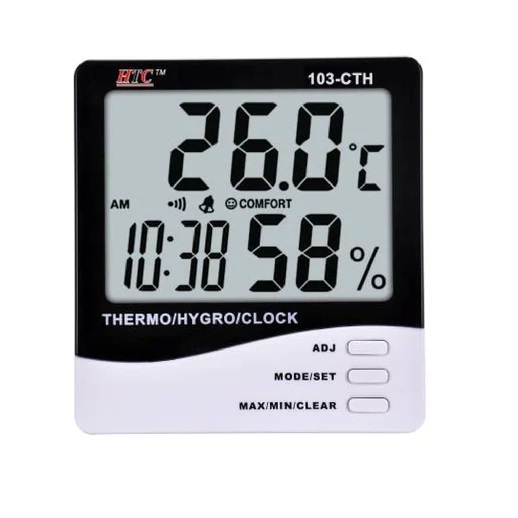
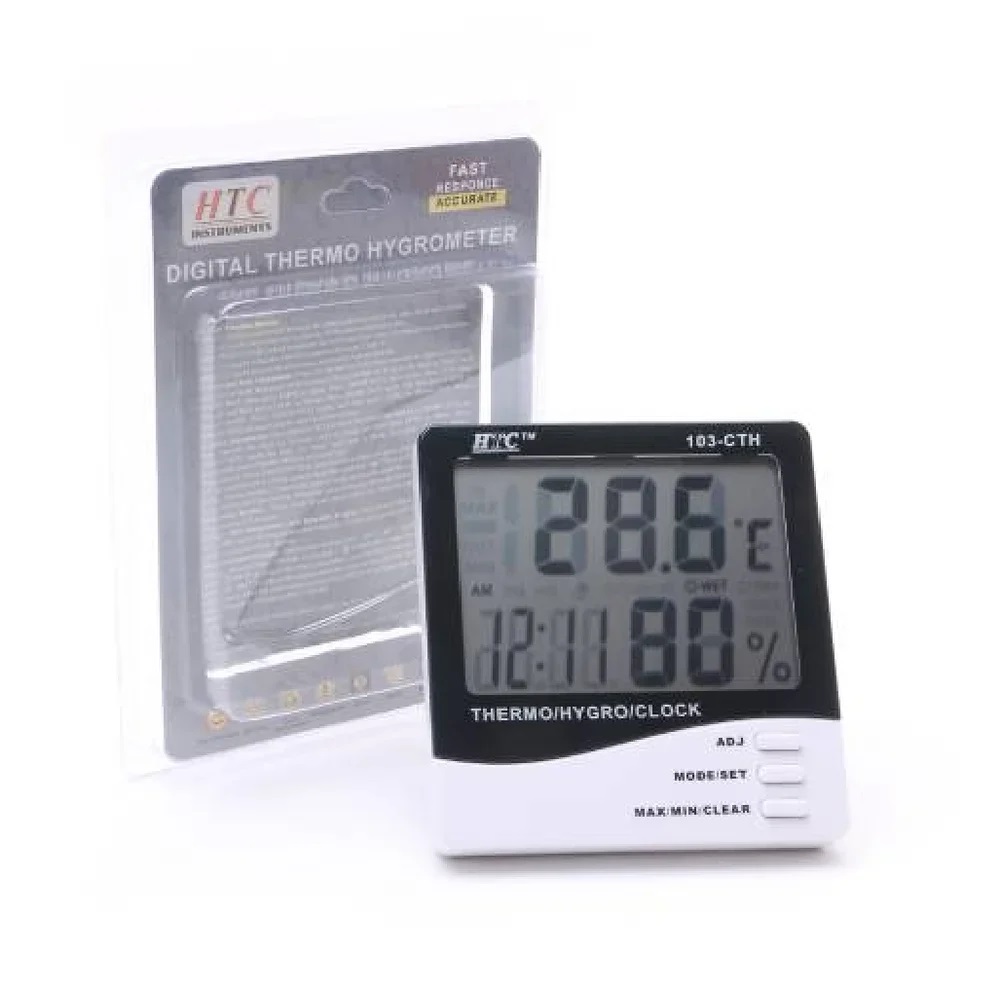
HTC 103-CTH Digital Thermo Hygrometer is designed for accurate monitoring of temperature, humidity, and time in a single compact device. With a clear digital display, comfort index, and built-in calendar and alarm, it helps maintain a healthy and comfortable indoor environment. Ideal for homes, offices, laboratories, and industrial spaces, it ensures reliable climate tracking throughout the day.
Features:
-
Simultaneous temperature, humidity, and time display
-
Comfort level indicator for indoor climate assessment
-
Built-in calendar and alarm function
-
Memory function for recorded values
-
Clear, easy-to-read digital display
-
Compact and space-saving design
-
Simple operation with responsive controls
-
Suitable for home, office, and industrial use
Accurate Indoor Climate MonitoringThis digital hygrometer thermometer provides highly accurate indoor temperature and humidity readings. With a measuring range from -10C to 50C and 20%-99% RH, and rapid response time under 10 seconds, you can trust the device for timely and reliable data. The built-in memory for maximum and minimum values helps you track changes over time with confidence.
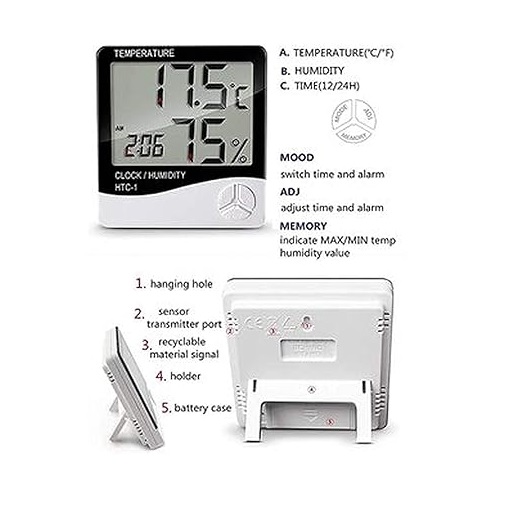
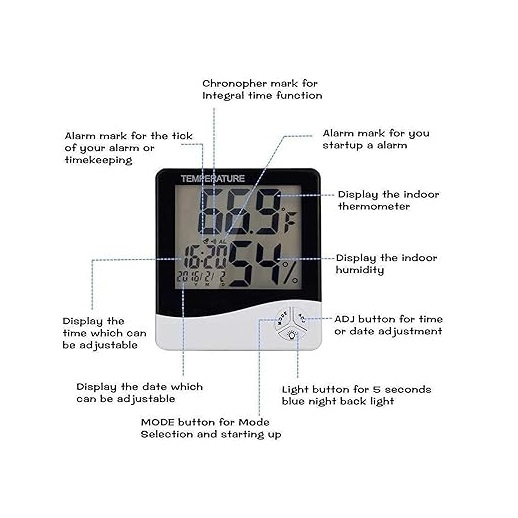
Easy-to-Read Controls and DisplayFeaturing a large LCD digital display, the HTC-1 (103-CTH) ensures clear visibility for all its functions. Navigate settings through intuitive button controls to set the clock (12/24h), alarm, and calendar. Its comfortable display makes it easy to monitor day, date, time, temperature, and humidity at a single glance. Perfect for quick indoor checks in homes or workplaces.
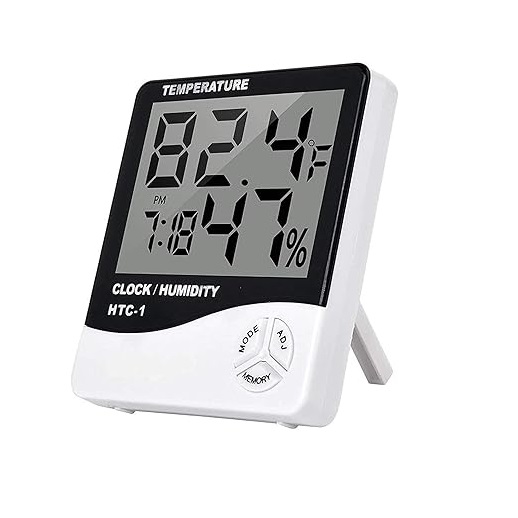
Versatile Placement and UsageDesigned for flexible indoor use, this model includes a foldable desk stand and a wall mount hole so you can easily place it on tables or hang it on a wall. Its lightweight, compact structure fits well in various environments. Whether for home, office, or laboratory, it aids in maintaining comfort and optimal indoor air quality.
FAQ's of True Sense HTC Digital Indoor Hygrometer Thermometer, 103-CTH:
Q: How do I switch between Celsius and Fahrenheit on the HTC-1 (103-CTH) thermometer?
A: To alternate between Celsius and Fahrenheit readings, use the designated button on the control panel, allowing you to choose your preferred temperature format quickly.
Q: What is the process for setting the clock and calendar functions?
A: Press and hold the appropriate button as indicated in the manual to enter setting mode. Use the buttons to adjust the hour, minute, year, month, and date. You can select between 12-hour and 24-hour clock formats and set the calendar to display the current day and date.
Q: Where should I place the HTC-1 (103-CTH) for the most accurate readings?
A: For best performance, position the hygrometer in a central indoor location, away from direct sunlight, heaters, or excessive humidity. Use either the foldable desk stand for tabletop placement or the wall mount hole for hanging, ensuring good air circulation around the sensor.
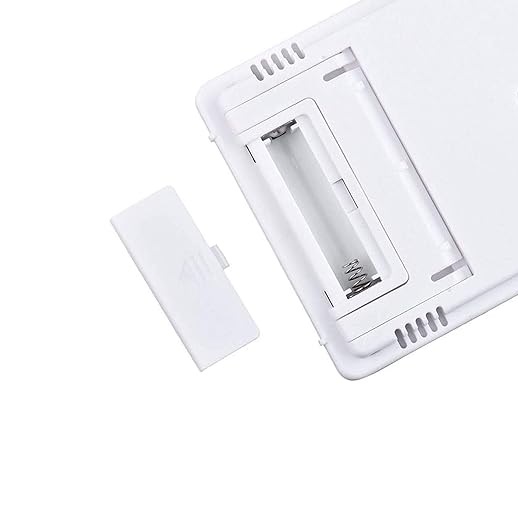
Q: When should I change the AAA battery in this hygrometer thermometer?
A: Replace the single AAA battery (1.5V) when the display dims or becomes unresponsive. Regular battery changes ensure continuous and accurate operation, especially with frequent use.
Q: What are the benefits of using the max/min memory feature?
A: The max/min memory records the highest and lowest temperature and humidity values, allowing you to monitor fluctuations over time. This helps track environmental changes for comfort, plant care, or sensitive equipment protection.
Q: How is the HTC-1 (103-CTH) operated and what is its power source?
A: Operation is manual via button controls, making it straightforward to adjust settings or recall previous data. It operates on a single AAA battery (1.5V), ensuring easy replacement and low power consumption for long-term indoor use.






 Send Inquiry


 Send Inquiry